
A laptop sleeve needs enough padding to separate the device from external pressure and soften the level of protection the product is designed to provide. There is no universal millimeter target. A slim office sleeve and a padded travel sleeve require different constructions.
The reliable approach is to define the risk first: scratches, daily bumps, packed-bag compression, or frequent travel. Then choose a cushioning construction, confirm its effect on fit and closure, and test the finished sleeve with the actual laptop.

The right padding level depends on how the sleeve will be carried and what it must protect against.
Why Thickness Alone Does Not Answer the Question
Padding thickness describes how much material is present when the sleeve is unloaded. It does not show how that material behaves under pressure, how quickly it recovers, or how much protective clearance remains when the laptop and accessories are inside.
A soft layer may compress quickly. A denser layer may resist deformation but add rigidity or weight. A thicker pad can even make the sleeve fit worse if it consumes too much internal space or strains the closure.
Evaluate the finished material stack instead:
- Cushioning material and density
- Compression behavior and recovery
- Padding placement
- Lining and backing
- Reinforcement and seams
- Fit and protective clearance
- Closure and hardware position
For compression mechanics and failure testing, continue with the dedicated laptop sleeve compression protection guide. This article focuses on how buyers choose a padding direction before the final testing stage.
Define the Protection Goal Before Choosing Padding
Start with the damage the product should reduce. A daily business sleeve may mainly need scratch protection, softer contact, and enough structure to hold its shape. A commuter or travel sleeve may need more cushioning around the bottom, corners, opening, and hardware.
The intended bag matters as much as the device. A sleeve carried alone in a tote has a different exposure from one compressed under clothing, books, and a charger inside a full backpack. Long journeys may also involve repeated loading rather than a single short impact.
Write the protection goal in observable terms:
- Separate the laptop from bag contents and hardware
- Reduce contact pressure from ordinary handling
- Add cushioning for daily commuting or frequent travel
- Preserve a slim profile for business carry
- Keep the device stable while allowing easy insertion
Avoid a brief that says only “maximum protection.” It gives the supplier no way to balance width, depth, weight, closure force, and product positioning.
How Padding, Lining, and Structure Work Together
Padding is one layer in a larger protection system. The lining controls the contact surface. Reinforcement distributes pressure and supports shape. The outer material contributes durability and structure. The closure can either preserve clearance or create a hard point.
The custom leather laptop sleeve guide covers these decisions at the product-development level. For padding, the practical question is where cushioning is needed and how much usable deformation space remains after the sleeve is assembled.
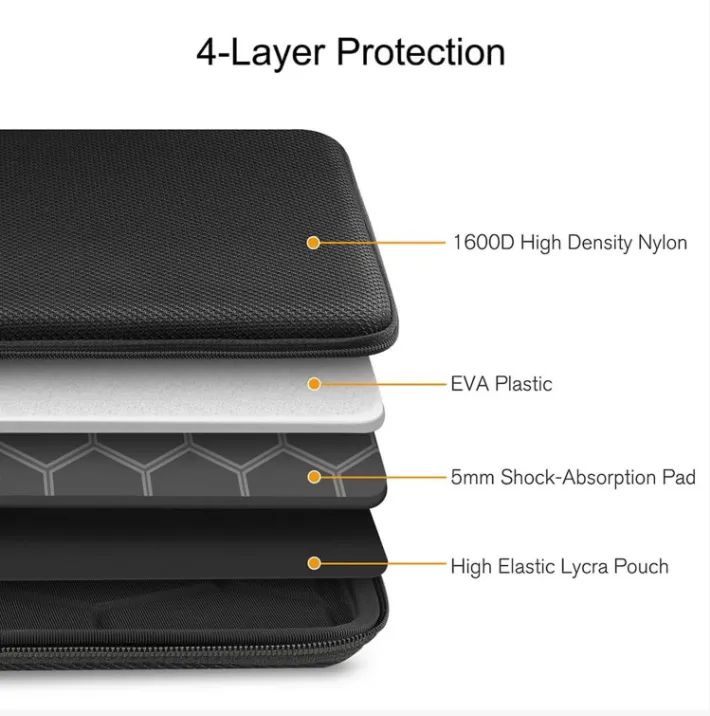
Padding must work with the outer material, reinforcement, and lining rather than in isolation.
Padding and lining are not interchangeable. Padding contributes cushioning and pressure distribution. A soft microfiber or textile lining provides a smooth contact surface and helps reduce friction. Review the laptop sleeve lining guide when the interior surface is still undecided.
Choose Padding by the Main Use Case
Use-case planning keeps the padding proportionate. The table below is a decision framework, not a fixed thickness standard.
| Product direction | Best for | Padding direction | Less suitable for |
|---|---|---|---|
| Slim leather sleeve | Office carry, meetings, minimalist customers | Thin cushioning, soft lining, targeted structure | Repeated heavy compression or travel in packed luggage |
| Daily commuter sleeve | Backpacks, public transport, everyday handling | Moderate cushioning with protected corners and opening | A product that must remain extremely thin |
| Padded travel sleeve | Frequent travel, crowded bags, accessory load | More cushioning, secure closure, targeted reinforcement | Ultra-slim positioning or minimal visual bulk |
| Corporate gift sleeve | Presentation, light business carry, branding | Balanced protection, refined lining, clean edges | Heavy-duty impact or extreme-load use |
The selected direction must still fit the retail price, target weight, structure, and required branding. A thicker product is not automatically a better premium product. Excess bulk can weaken the refined feel customers expect from a leather sleeve.
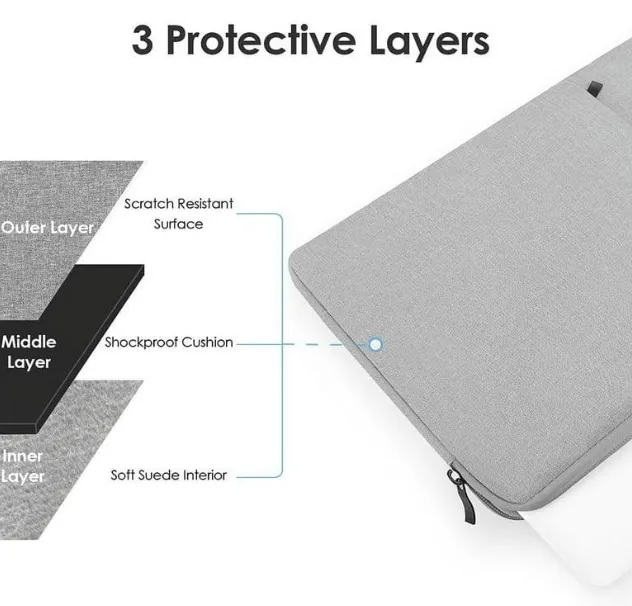
A balanced sleeve uses the required cushioning without ignoring fit, weight, and closure performance.
Why Fit and Closure Change Effective Padding
Effective padding depends on usable space. A cushioning layer needs room to deform before the laptop meets a seam, reinforcement edge, zipper, or compressed outer panel.
An over-tight sleeve already presses on the device before external load is applied. A loose sleeve may create a different problem: the laptop shifts and concentrates force against the closure or one side of the compartment.
Set fit with the complete construction in mind:
- Laptop width, depth, thickness, and corner shape
- Lining and padding thickness
- Reinforcement and seam allowance
- Opening and closure geometry
- Whether a hard shell will remain attached
Check insertion, removal, closure force, and movement in the actual sample. A padding level that works on a flat pattern can become unusable after lamination and assembly.
Use Targeted Protection Where It Matters
Uniform padding is not always necessary. The bottom panel, corners, opening, and closure area often deserve more attention than a broad center panel. Targeted protection can keep the main product slim while adding support where the sleeve meets the bag, the ground, or the laptop’s vulnerable edges.
Cushioning should not create its own hard transitions. A reinforcement that ends abruptly, a dense pad edge, or a thick seam can become a pressure point. The transition needs to be controlled through pattern design, layer placement, and edge finishing.
Accessory storage changes the map again. A loaded front pocket can press a rigid adapter or hub toward the laptop compartment. The pocket should be reviewed with representative accessories rather than only an empty shape.
Validate the Finished Sleeve
Test the assembled sleeve, not a loose sample of foam. Start empty to record structure, edge condition, closure behavior, and baseline dimensions. Then load the actual laptop and confirm that it enters without force, stays stable, and keeps clear of hard components.
Repeat the review with the expected accessories and the closed sleeve under realistic pressure. Confirm that padding still has useful deformation space and that the closure does not pull the laptop into a new contact point.
For repeated compression, recovery, and failure criteria, use the compression test matrix instead of duplicating a full laboratory method in this article. General protection claims should also remain consistent with the leather sleeve protection guide.
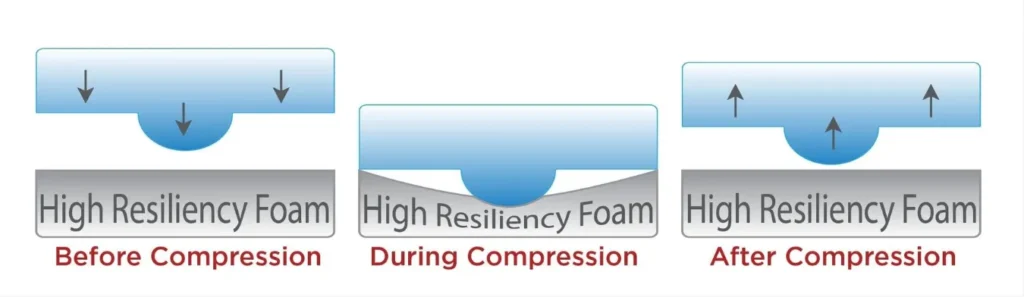
The padding specification should include compression and recovery behavior, not only nominal thickness.
What OEM Buyers Should Specify
A padding brief should give the manufacturer enough information to propose a construction and quote the project consistently.
Include:
- Target laptop and complete device stack
- Main use case and expected bag conditions
- Required level of separation and cushioning
- Maximum overall thickness or weight
- Available internal clearance
- Padding material, density, and recovery requirements
- Reinforcement and targeted protection zones
- Closure and hardware clearance
- Lining direction
- Expected accessory load
- Test method and acceptance criteria
- Sample quantity and production controls
The supplier should identify the proposed layer stack, finished thickness, expected compression behavior, and any effect on fit or closure. If the buyer provides only a photo and a padding thickness, neither party can tell whether the product will meet the real use case.
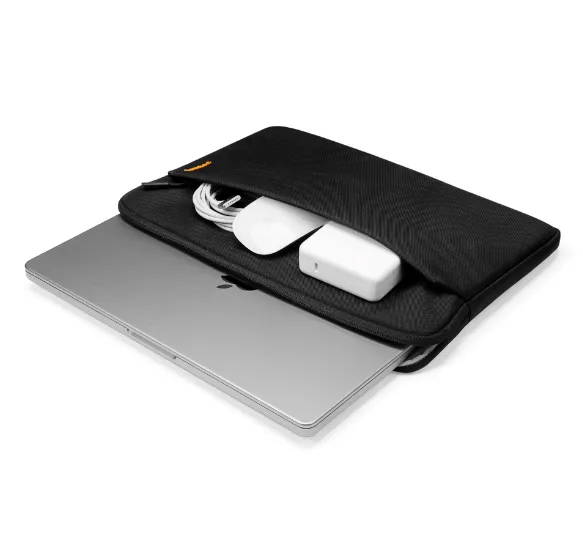
Accessories should be included when validating the usable protection and fit of the complete sleeve.
FAQ
How thick should padding be in a laptop sleeve?
There is no universal thickness. The correct construction depends on the intended protection, cushioning material, available internal space, closure, target overall profile, and the results of testing the finished sleeve.
Is thicker padding always more protective?
No. Cushioning depends on compression resistance, recovery, placement, and the complete construction. Thick padding can add bulk while reducing fit or creating new pressure points.
Does a slim laptop sleeve need padding?
A slim sleeve can use light cushioning and a soft lining while focusing on scratch protection and controlled fit. It is less suitable for repeated compression or rough travel, where a more structured design may be needed.
Does padding change the internal size of a laptop sleeve?
Yes. Padding, lining, reinforcement, and seams all consume internal space. The pattern and sleeve dimensions should be developed around the finished material stack and checked with the actual device.
What should OEM buyers ask for in a padded laptop sleeve sample?
Ask for the proposed layer stack, finished dimensions, compression and recovery behavior, closure performance, hard-component clearance, and evidence from testing with the actual laptop and representative accessories.